Websites
AI online store builder: a shop written as code for your own site
An AI online store builder writes the shop for you: product pages, a cart, a checkout and an admin to run it. On OneCraft an agent writes all of it as code into your website, keeps products and orders in the site's own database, and takes card payments through Stripe Checkout on your own Stripe account.
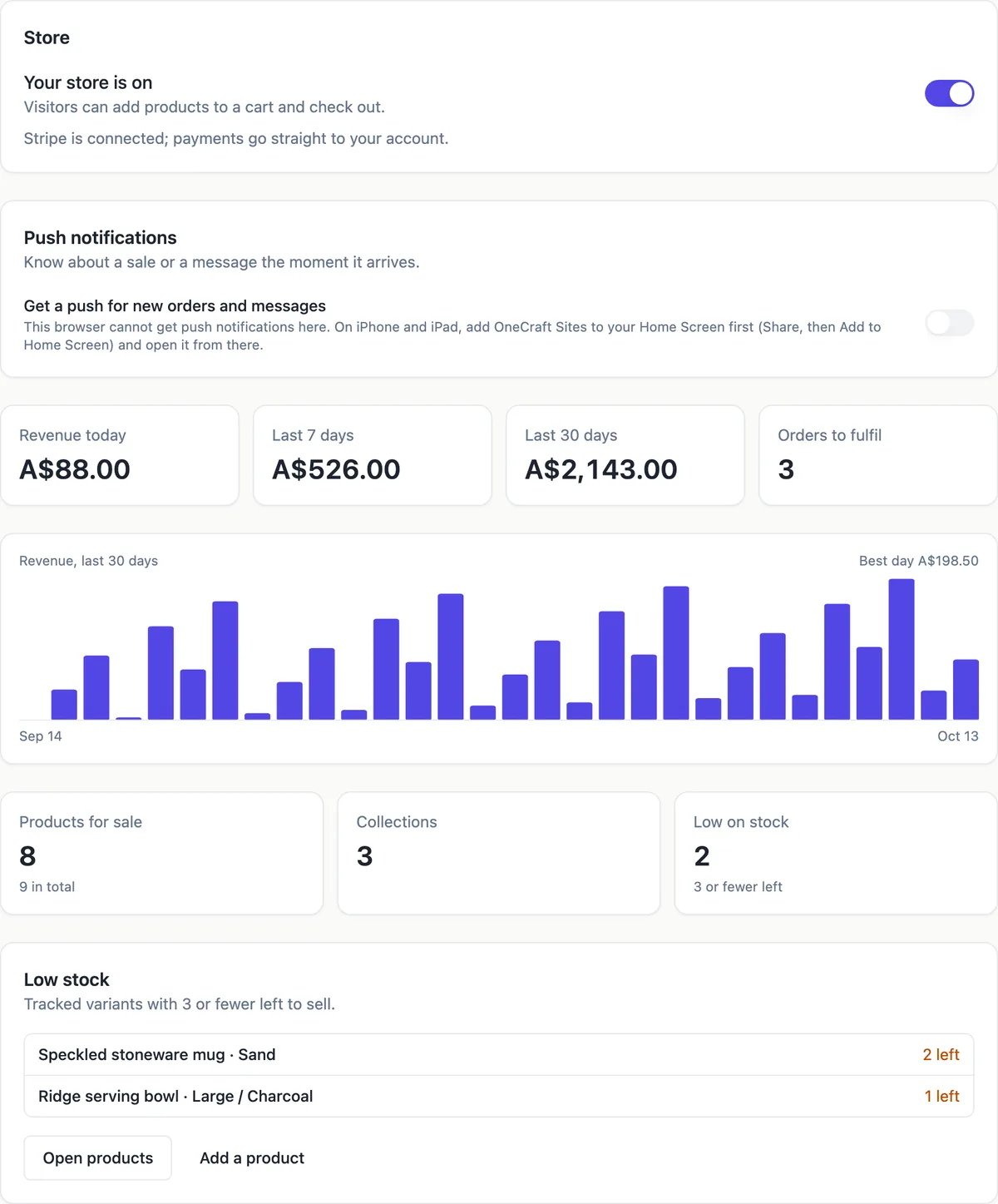
What the agent builds
Ask for a shop and the agent follows its catalog guide. It creates categories and products tables with prices stored as whole cents, writes a /shop page with category chips and a search box, and a page per product with its gallery, price and a stock note. It seeds only the products and prices your brief gives, and leaves the rest for you to add in the admin.
Cart, checkout and orders
With the orders guide the cart lives in the visitor's browser, and the checkout sends its lines to a database function called place_order. That function reads each price and stock level itself, refuses a missing, hidden or sold out product, writes the order with the totals it computed and takes tracked stock down. A guest can buy without an account; a signed-in buyer sees their orders and their status on /orders.
Payments on your Stripe account
Card payments open Stripe Checkout as a direct charge on the Stripe account you connect in account Settings, Payments, so the money lands with you and the site never holds a Stripe key. A webhook marks the order paid or refunded. Until Stripe is connected, orders are kept as pending and the checkout says online payment is not available yet.
The admin where you run it
The agent adds a site_admins table and an /admin area that only admins can open, linked from the account menu. Products, categories and orders each get a table with search and an edit form, photos upload to the site's own storage, and the dashboard shows today's orders. The first admin is made from your contact email, and the agent tells you the password to change.
Where the data lives
Everything sits in the site's own database: a schema in OneCraft's pool on every plan, or a project on your own Supabase account. Every table gets row level security, and the agent checks each one as an anonymous visitor, a signed-in person and an admin before a step can finish, so a visitor cannot read other people's orders.
How it works, in three steps
Step 1
Describe the shop
In the generator choose Website, name the business and describe what you sell, or ask for the shop in the chat of a site you already have. The agent plans the pages and the capabilities, then writes them as code.
Step 2
Connect Stripe and a database
Connect Stripe in account Settings, Payments. Every plan gets a hosted site database, or you can connect your own Supabase account in the site's Settings.
Step 3
Check it and publish
Try the flow in the preview, sign in to /admin with the admin account the agent reports, then publish from the builder on a paid plan.
Limits worth knowing
- The Free plan builds and previews a site but cannot publish it, connect a domain, take payments or run Expo builds.
- Card payments need Stripe connected in account Settings, Payments, and a paid plan. The platform fee is 2% on Starter, 1% on Pro and 0.5% on Pro+, with Stripe's own fees on top.
- A hosted database comes with every plan, or you can connect your own Supabase account in the site's Settings, Database card.
- There is no store switch, store dashboard or ready made shop: the shop exists only as the code and tables the agent writes for your site.
- Payments run through Stripe only; there is no PayPal and no cash on delivery flow.
- Refunds are made in your Stripe dashboard; a full refund marks the order refunded and a partial one leaves its status.
- No plan caps how many sites you build.
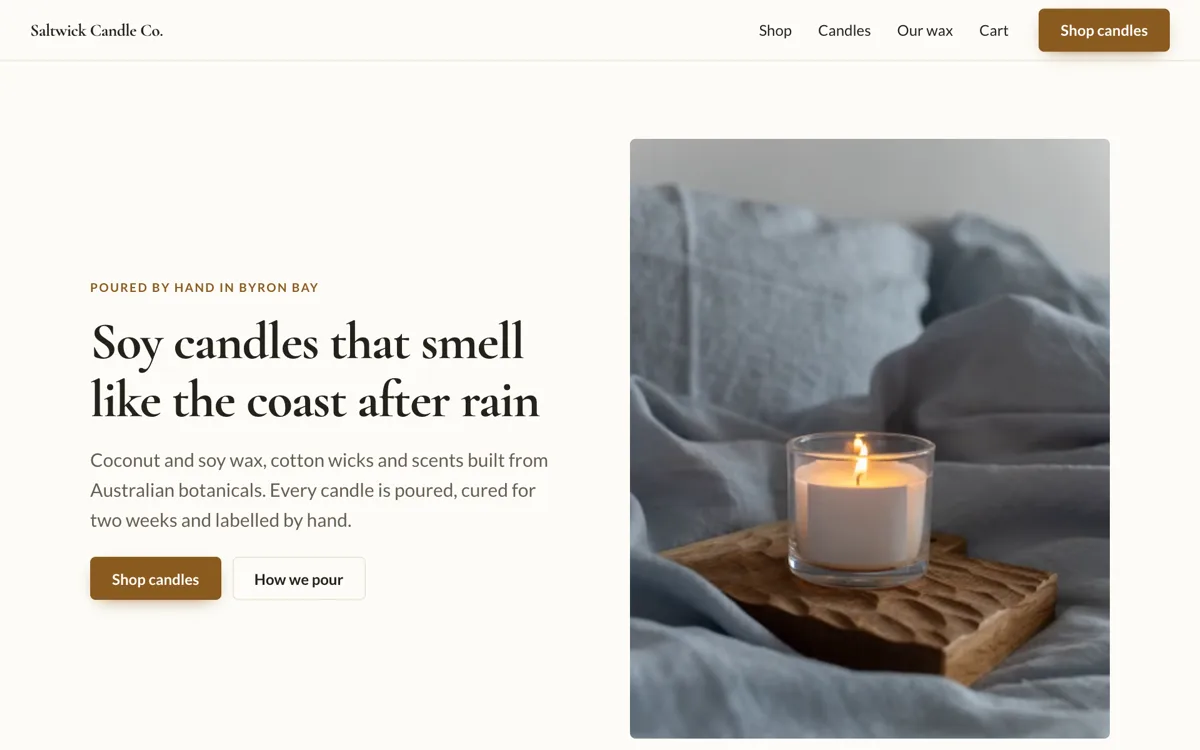
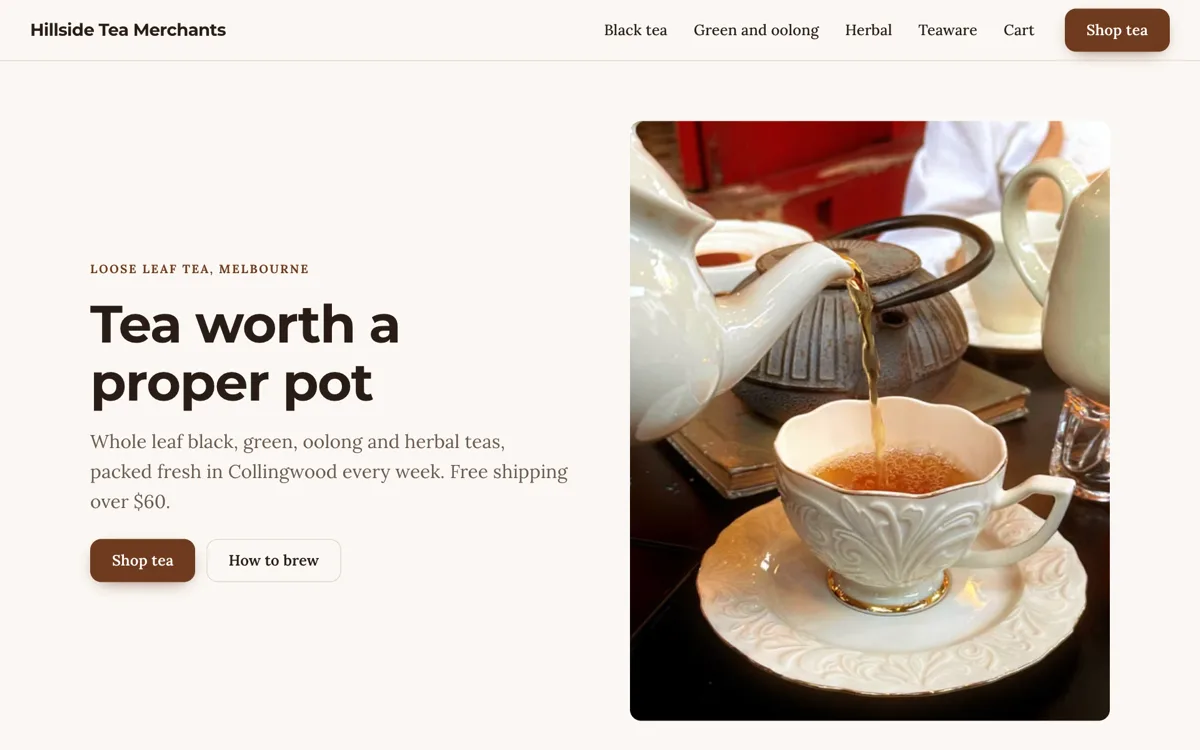
See it on a finished piece
Questions people ask
Do I pick a shop layout before the AI starts?
No. There are no shop layouts to pick. You describe the business and what it sells in the generator, in up to 3,000 characters, and the agent plans the pages and the capabilities to build, then writes them as code. A design reference address, a palette or a brand kit in the options steers the look. Later changes are asked for in chat, and each one is a commit you can roll back.
Can the shop work before card payments are set up?
Yes. Without Stripe connected, place_order still records each order as pending and the thank you page says the owner will confirm it by email. That suits made to order goods or local pickup. When the payments guide was part of the build and you connect Stripe later, the same checkout opens Stripe Checkout and the webhook marks orders paid.
Who can change prices on the live shop?
Only admins. Product rows can be written only by people in the site_admins table, and the database enforces that, not just the screen. Visitors can read active products and nothing else. The price a buyer pays is read by place_order from the products table at the moment of ordering, so editing a price in the browser changes nothing.
Can staff help run the shop?
Yes. The admin has a staff page that lists site_admins and adds a person who already has an account on the site. Roles are owner or staff, and only an owner removes someone. Staff see the same product, order and stock screens, so a shop assistant can mark orders fulfilled without seeing your OneCraft account or your Stripe dashboard.
What does an online store cost to run here?
The plan, the platform fee and Stripe's fees. Publishing needs a paid plan: Starter is $8 a month, Pro $25 and Pro+ $125. Each card payment carries a platform fee of 2% on Starter, 1% on Pro or 0.5% on Pro+, plus Stripe's own processing fees. Building uses credits; a website generation has measured about 14 credits.
Can I sell from a phone app as well?
Yes, as a separate app site. Choose Mobile app in the generator and base it on your website: the app takes the website's colours, fonts, content and database, so it reads the same products and orders. The app gets a Shop tab and product screens, and its checkout opens Stripe Checkout in an in-app browser. Expo builds need a paid plan.
Make your own website
The button opens the generator with this use case already described. Change the wording to match yours, generate, then edit anything you like.
Create a website with OneCraftNot ready to start? See the AI website builder page first.
Related pages
Ecommerce website with Stripe: Checkout on your own account
An ecommerce website with Stripe sends buyers to Stripe Checkout to pay and records the order when Stripe confirms it. On OneCraft the agent writes the shop as code, and payments run as a direct charge on the Stripe account you connect, with prices read from your site's database, never from the browser.
Discount codes for your online store, checked inside the order
Discount codes for an online store take money off at checkout when a buyer types a code you created. On OneCraft the agent writes them with the loyalty guide: percent, fixed amount or free shipping codes with dates, minimums and use limits, applied by the database function that places the order, plus loyalty points if you want them.
Sell gift cards online from your own website
Selling gift cards online means a customer pays now for a code someone else spends later, on your site or in your shop. The code has to be hard to guess, the balance has to be right after every use, and only the buyer and your staff should ever see it.
More finished work of this kind is on the website examples hub.
Written and checked by the OneCraft team. Last checked .